If you are running a Sitecore PowerShell script, got the list in the dialog box, however, not able to download the results
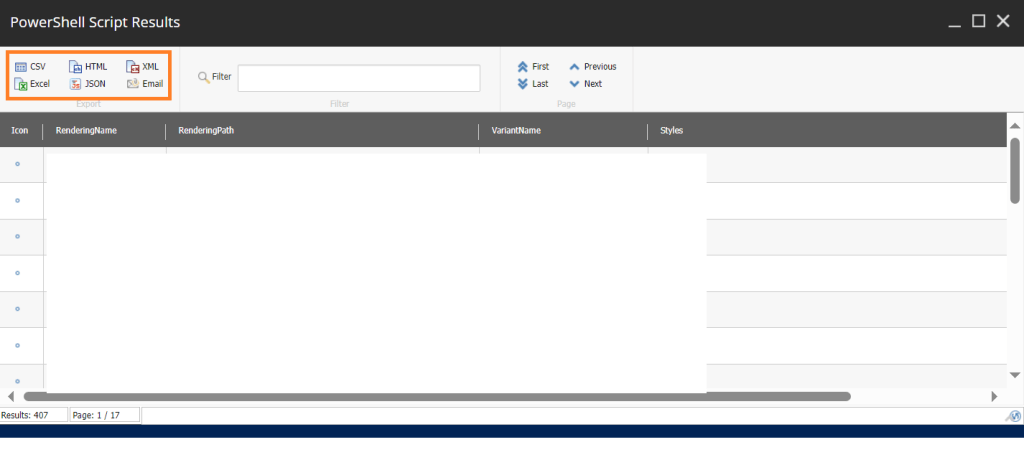
When I checked console, there was below issue:
401 issue on https://<Host>-/script/handle/ACB294C0631D4FB789476
Solution: To enable to download results in excel, csv, etc. from Sitecore PowerShell on azure, make the following changes in file App_Config\Include\Cognified.PowerShell.config.
Make <remoting enabled =”true”> in line 5 or create a patch file.
<configuration xmlns:patch="http://www.sitecore.net/xmlconfig/">
  <sitecore>
    <powershell>
      <services>
        <remoting enabled="false">
          <authorization>
            <add Permission="Allow" IdentityType="Role" Identity="sitecore\PowerShell Extensions Remoting" />
            <!-- example to disable specific user from an endpoint: -->
            <!--add Permission="Deny" IdentityType="User" Identity="sitecore\admin" /-->
          </authorization>
        </remoting>
      </services>
    </powershell>
  </sitecore>
</configuration>
I solved it. I was missing a couple of key configuration steps:
1. Enable the remoting service in the SPE config
In my App_Config\Include\Cognified.PowerShell.config file, I noticed the following (unrelated elements removed for brevity):
<configuration xmlns:patch="http://www.sitecore.net/xmlconfig/">
  <sitecore>
    <powershell>
      <services>
        <remoting enabled="false">
          <authorization>
            <add Permission="Allow" IdentityType="Role" Identity="sitecore\PowerShell Extensions Remoting" />
            <!-- example to disable specific user from an endpoint: -->
            <!--add Permission="Deny" IdentityType="User" Identity="sitecore\admin" /-->
          </authorization>
        </remoting>
      </services>
    </powershell>
  </sitecore>
</configuration>
Changing that enabled="false" to an enabled="true" enabled the service. To do that, I added the following patch config file:
<configuration xmlns:patch="http://www.sitecore.net/xmlconfig/">
  <sitecore>
    <powershell>
      <services>
        <remoting enabled="true" patch:instead="remoting">
          <authorization>
            <add Permission="Allow" IdentityType="Role" Identity="sitecore\PowerShell Extensions Remoting" />
          </authorization>
        </remoting>
      </services>
    </powershell>
  </sitecore>
</configuration>
Give access to remote Sitecore users
Add Sitecore users to the sitecore\PowerShell Extensions Remoting role in User Manager.
Hope this helps, good luck!
 Tech with Jagmeet
Leave a comment