Get the Solution from Github
Import the data into CMS SaaS
cms-saas-vercel-demo/InitialData.episerverdata at main · episerver/cms-saas-vercel-demo
Make Local Nextjs Solution and CMS SaaS communicate with each other
Add environment variables
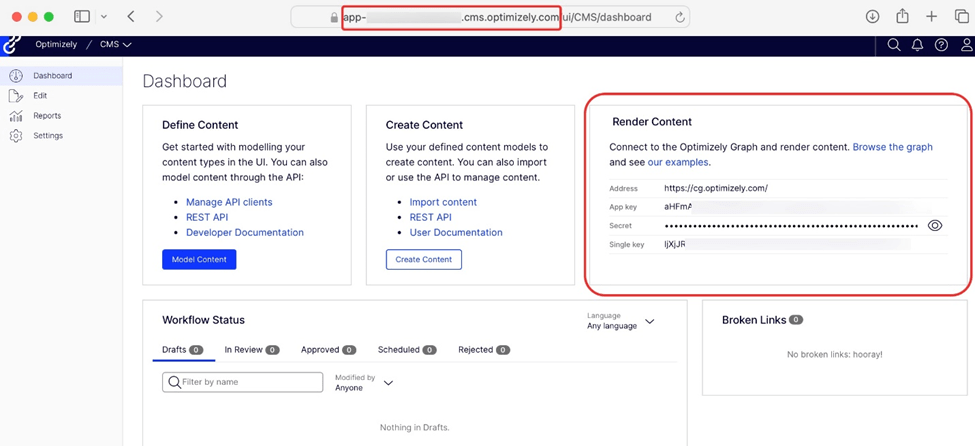
- OPTIMIZELY_CMS_URL: This is the link to access the Optimizely CMS during the build process. For example: https://example.cms.optimizely.com/.
- OPTIMIZELY_GRAPH_SECRET: You can find the Content Graph Secret in the CMS Dashboard under the Render Content section (refer below screenshot).
- OPTIMIZELY_GRAPH_APP_KEY: This key is also available in the CMS Dashboard, located within the Render Content section.
- OPTIMIZELY_GRAPH_SINGLE_KEY: Similar to the App Key, this can be found in the Render Content section of the CMS Dashboard.
- SITE_DOMAIN: This will be the Vercel app URL, which you’ll need to add after deployment to set up the visual editor.
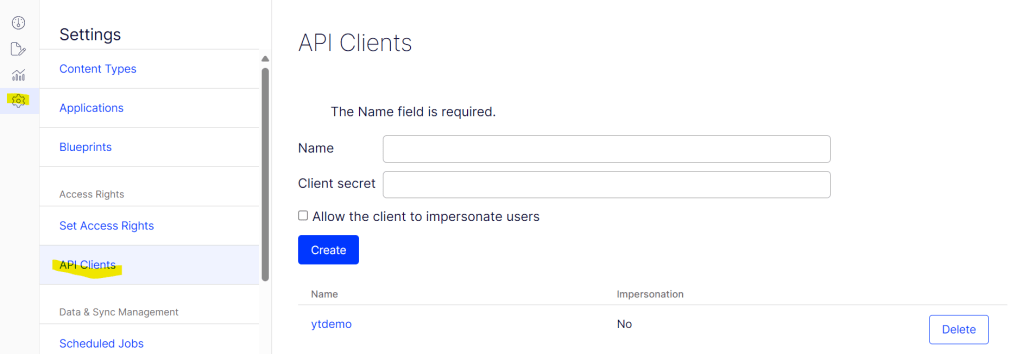
- Go to Settings > API Clients.
- Create a new API client and generate the key/secret.
- Note down the generated key and secret for use in .env
OPTIMIZELY_CMS_CLIENT_ID=YOUR_CMS_API_CLIENT_ID
OPTIMIZELY_CMS_CLIENT_SECRET=YOUR_CMS_API_CLIENT_SECRET
Run from your Local
- Go to Apps/frontend folder from terminal
- Run Yarn install
- Run Yarn dev. your local will be up at localhost:3000
You can find more commands in package.json.
Create Application on CMS SaaS:
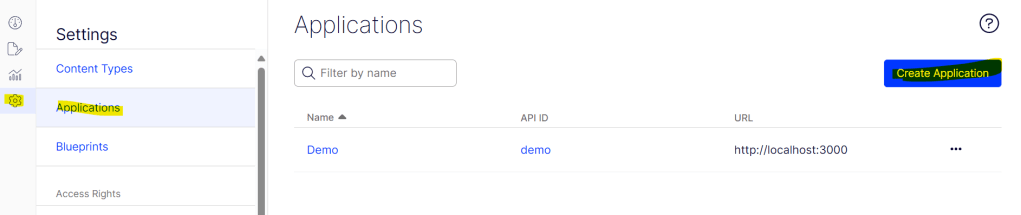
- Settings>Applications>Create Application
- Add the host name
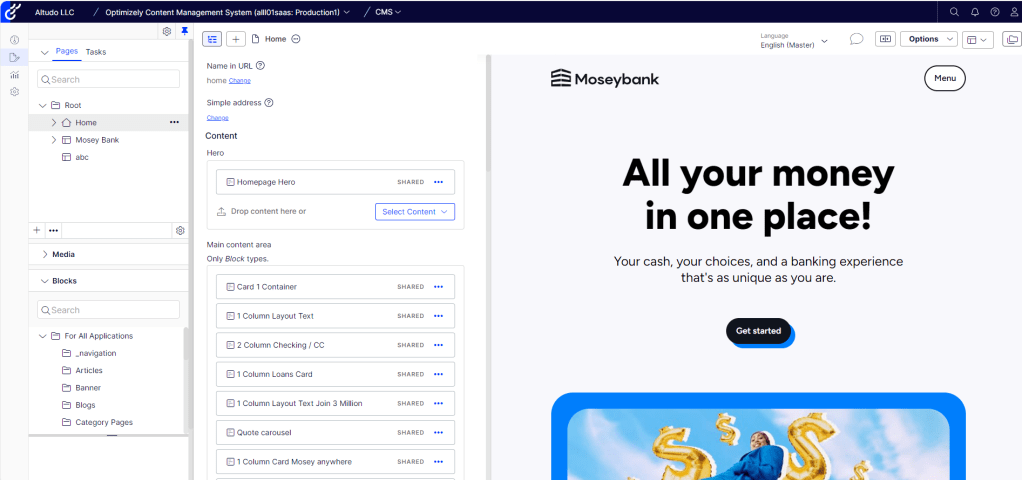
Now, go to editor and check site in Visual Builder too:
To get detailed video on local setup Please click here.
 Tech with Jagmeet
Leave a comment